Rustinction Join the Discord
Live status

Our servers

Updates every few minutes

2x PVE

PvE with PvP zones · Raidable Bases
ONLINE
Players
—
Next wipe
1st Thursday
Thu, Nov 5 · 7:30 PM EST
client.connect 135.148.150.57:28015

3x PVE

Full PvE protection · roleplay friendly
ONLINE
Players
—
Next wipe
1st Thursday
Thu, Nov 5 · 7:30 PM EST
client.connect 135.148.150.57:29015
Wipe schedule · both servers

First Thursday of every month

Both servers wipe on the first Thursday of the month at 7:30 PM Eastern. Fresh start for everyone.

Every wipe resets: the map, blueprints, RP (in-game currency) and the skill tree.

Next wipe (your time) Thursday, November 5 · 7:30 PM EST in 9d 22h
2x server only

Apocalypse night

Our purge before the wipe. About 24 hours before every wipe, the 2x server goes into Apocalypse: raiding is open and the only rule left is no cheating. It's announced in game and on Discord when it starts.

Next Apocalypse starts around (your time) Wednesday, November 4 · 7:30 PM EST Starts in 8d 22h
Read the 2x rules →
2x server · PvP zones

Always know when PvP is on

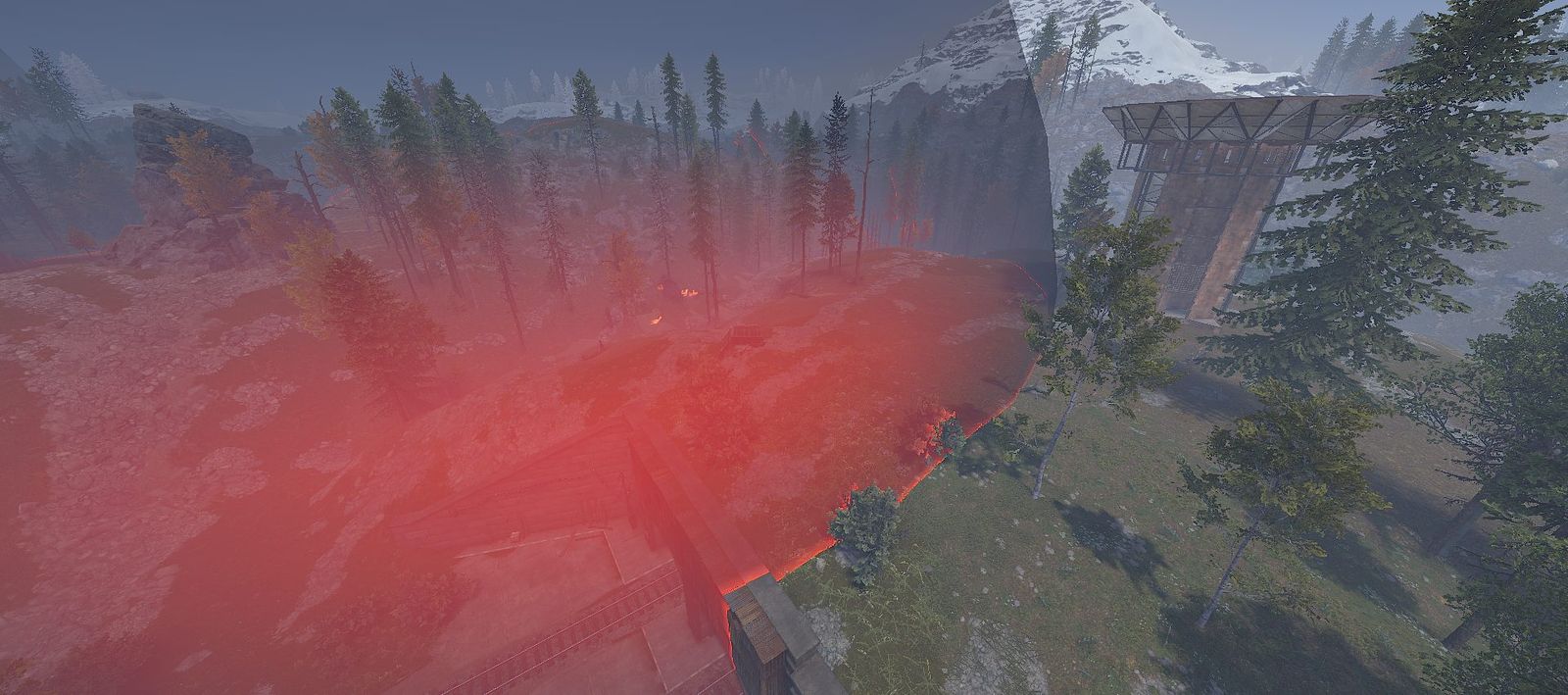
  • See it comingEvery PvP zone is a dark bubble you can spot from far away.
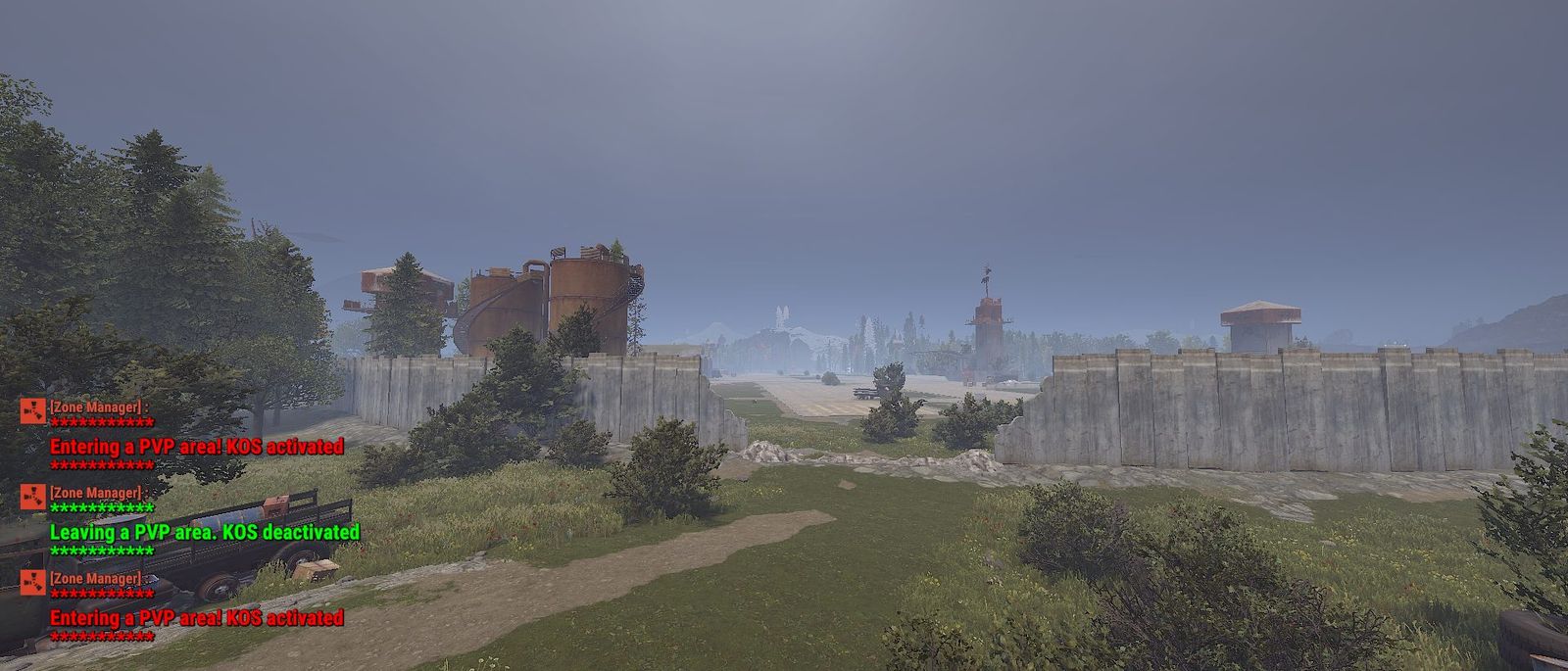
  • Warned on the way in and outChat tells you the moment you cross the line: Entering a PVP area! KOS activated and Leaving a PVP area. KOS deactivated.
  • Cargo Ship and heli crash sites are PvPCargo Ship is always PvP, wherever it is, even when its bubble doesn’t show. When a server patrol heli goes down, its crash site is PvP once the loot is on the ground, and stops once the loot is gone. Personal helis you call in stay locked to your team.
  • Safe everywhere elseOutside the zones, 2x plays as PvE.

Enter at your own risk.

Walking into a walled PvP zone on 2x while chat shows Entering a PVP area, KOS activated
The glowing red dome of a PvP zone around a patrol heli crash site on 2x Heli crash site = PvP zone
Sunset on 2x · that dome on the horizon is a PvP zone

Get started in three steps

  1. 1

    Read the rules

    Each server plays a little differently. Two minutes here saves you a ban later.

    Community rules
  2. 2

    Join the Discord

    Wipe announcements, events, support tickets and the community. Type /verify in game and bring your code to Discord for a backpack with extra storage. Stay active in game for added perks too.

    Open Discord
  3. 3

    Connect

    Hit Connect on a server card, or press F1 in Rust and paste the connect line.

    Choose a server